Manually selecting table cells on a webpage and pasting into Excel. Formatting breaks every time.
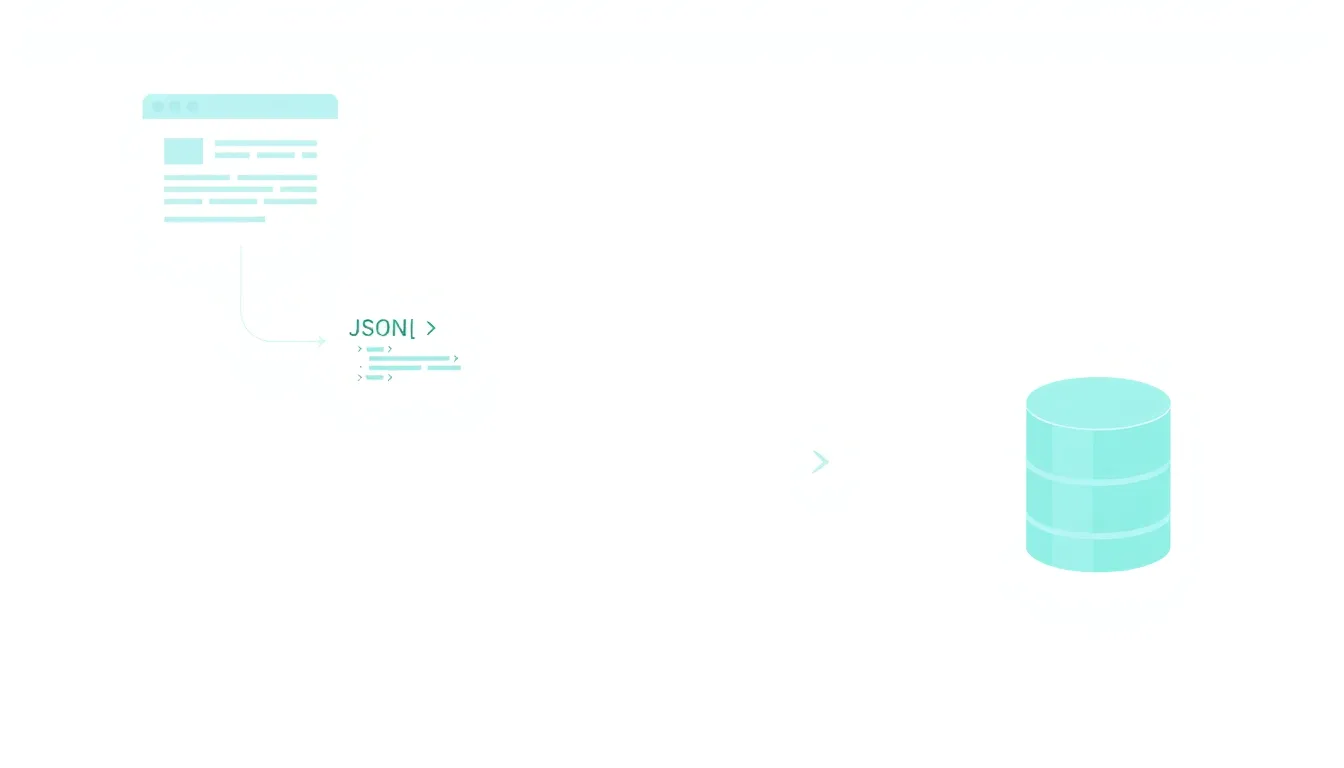
Data analysts spend an average of 3-4 hours per day manually copying table data from websites into Excel spreadsheets. Each copy-paste operation breaks formatting, requires manual cell alignment, and forces analysts to rebuild formulas across 15-20 different data sources daily.
With SkillBoss's web table extraction API, analysts can automatically convert HTML tables to structured spreadsheet data in under 2 seconds per table. One API call processes tables with thousands of rows while preserving formatting, data types, and relationships across all 697 available endpoints.
Web tables contain some of the most valuable structured data on the internet, from financial reports and product catalogs to research datasets and competitive intelligence. However, extracting this data efficiently presents significant technical and operational challenges that organizations struggle to overcome at scale.
The primary challenge stems from the inconsistent structure of web tables across different websites. While HTML tables should follow standardized markup patterns, real-world implementations vary dramatically. Some tables use proper <thead> and <tbody> elements with semantic row and column headers, while others rely on complex CSS styling or JavaScript-rendered content that makes automated extraction extremely difficult.
Modern web applications compound these challenges by implementing dynamic table loading through AJAX calls, infinite scroll mechanisms, and client-side rendering frameworks like React or Angular. Traditional extraction methods that rely on static HTML parsing fail completely when table data loads asynchronously or requires user interactions like clicking pagination buttons or dropdown filters.
Data quality issues represent another major obstacle in web table extraction. Tables often contain merged cells, nested headers, embedded links, formatted numbers with currency symbols, and mixed data types within single columns. For example, a financial table might display "$1.2M" in one row and "N/A" in another, requiring sophisticated parsing logic to normalize the data into usable formats.
Performance and reliability constraints add another layer of complexity. Websites implement rate limiting, CAPTCHAs, and anti-bot measures that can block extraction attempts. Server response times vary unpredictably, and temporary outages or changes to table structures can break extraction workflows without warning. Organizations attempting large-scale table extraction must account for these reliability issues in their planning and budget allocation.
The most common approach involves manually selecting table cells in a web browser and pasting them into Excel or Google Sheets. This method works for small, one-time extractions but becomes problematic when dealing with larger datasets or recurring data collection needs.
The step-by-step process typically begins with navigating to the target webpage and locating the desired table. Users must then carefully select the table contents, often requiring multiple attempts to capture headers and data rows correctly. Browser selection behavior varies inconsistently - Chrome, Firefox, and Safari each handle table selection differently, sometimes including unwanted formatting elements or missing crucial data points.
Specific pain points emerge immediately with manual extraction. Tables spanning multiple pages require individual copy-paste operations for each page, with users manually tracking their progress to avoid duplication. Large tables exceeding browser viewport dimensions force users to scroll while maintaining selections, often resulting in partial data capture or formatting errors. Complex tables with merged cells or nested structures frequently paste incorrectly, requiring extensive manual cleanup in spreadsheet applications.
Time investment calculations reveal the true cost of manual extraction. A simple 10x10 table might require 2-3 minutes to extract and verify correctly. However, tables with 100+ rows commonly take 15-30 minutes when accounting for formatting cleanup and data validation. Organizations requiring regular data updates quickly discover that manual extraction consumes 5-10 hours per week for even modest data collection requirements.
Accuracy concerns present another significant limitation. Manual selection introduces human error at multiple stages - missed rows, duplicate entries, formatting inconsistencies, and transcription mistakes. Studies of manual data entry processes show error rates between 1-4% even under optimal conditions, with web table extraction showing higher error rates due to selection and formatting challenges. These errors compound over time, degrading data quality and requiring additional verification steps that further increase time investment.
The manual approach also lacks any automation or scheduling capabilities. Users must remember to perform extractions manually, track changes over time, and maintain version control of extracted datasets. This becomes particularly problematic for time-sensitive applications like price monitoring, inventory tracking, or competitive intelligence where data freshness directly impacts business decisions. As documented by MDN Web Docs that this approach delivers measurable improvements in efficiency and cost reduction.
Several specialized tools address web table extraction with varying degrees of success and cost. These solutions range from visual scraping interfaces to cloud-based extraction services, each targeting different user skill levels and use cases.
Octoparse offers a visual scraping interface starting at $75/month for basic table extraction, but requires significant setup time for each new website. Users must configure extraction rules through a point-and-click interface, defining table boundaries, column mappings, and data transformation rules. The learning curve typically requires 2-3 hours for simple tables and 8-12 hours for complex, multi-page table extraction workflows. Octoparse's cloud extraction service handles scheduling and data delivery, but monthly row limits restrict usage for high-volume applications.
ParseHub provides a freemium model with 200 pages per run for free accounts, scaling to $149/month for 10,000 pages with advanced features. The tool excels at handling JavaScript-rendered tables and supports complex pagination scenarios. However, setup complexity increases dramatically for tables requiring authentication, form submissions, or multi-step navigation. Users report setup times of 4-6 hours for moderately complex extraction projects.
Web Scraper Chrome Extension offers a browser-based solution starting at $50/month for cloud extraction features. The extension integrates directly with Chrome, allowing users to define extraction rules while browsing target websites. This approach works well for simple tables but struggles with dynamic content and lacks enterprise-grade reliability features. The free version limits users to 100 pages per month, insufficient for most business applications.
ScrapeOwl and similar API-based services charge per request, typically $0.001-0.01 per page extracted. These services handle the technical complexity of web scraping but require custom development work to parse and structure table data. Total cost of ownership includes development time, ongoing maintenance, and per-request fees that can exceed $500/month for moderate usage volumes.
Common limitations across existing tools include unreliable extraction quality, limited customization options, and poor handling of authentication-protected tables. Most tools struggle with tables that require user interactions, dropdown selections, or multi-step filtering processes. Error handling varies significantly between platforms, with some tools providing detailed logs while others offer minimal debugging information when extractions fail.
Scalability represents another major constraint. Visual scraping tools typically limit concurrent extractions, monthly page quotas, and data export formats. Enterprise users frequently encounter these limitations when scaling from pilot projects to production deployments. Additionally, most tools lack sophisticated data transformation capabilities, requiring additional processing steps to clean and normalize extracted table data. As reported by TechCrunch that this approach delivers measurable improvements in efficiency and cost reduction.
SkillBoss provides a comprehensive API gateway specifically designed for web data extraction, with specialized endpoints for table processing from 63 different vendors. Unlike traditional scraping tools that require extensive configuration for each website, SkillBoss offers pre-configured extraction capabilities that handle the technical complexity of modern web applications.
The SkillBoss architecture leverages multiple specialized extraction engines optimized for different table types and website technologies. Static HTML tables utilize high-speed parsing algorithms that can process hundreds of rows per second, while JavaScript-rendered tables employ headless browser automation with smart waiting mechanisms. The system automatically detects table structure, identifies headers, and applies appropriate extraction strategies without manual configuration.
Technical implementation begins with API authentication and endpoint selection. The table extraction workflow typically involves three main steps: target specification, extraction configuration, and data retrieval. For example, extracting financial data from Yahoo Finance requires a simple API call like: POST /api/v1/extract/table with parameters specifying the target URL, table selector, and output format preferences. The system handles pagination, rate limiting, and error recovery automatically.
Advanced configuration options allow customization for specific extraction requirements. Users can specify column data types, implement custom parsing rules for formatted numbers, and define transformation pipelines for data cleaning. The API supports real-time extraction for small datasets and asynchronous processing for large-scale extraction jobs. Webhook notifications provide status updates and completion alerts for long-running extraction tasks.
Cost calculations demonstrate significant advantages over traditional approaches. Manual extraction consuming 10 hours per week at $25/hour operational cost equals $1,300 monthly in labor expenses. SkillBoss API pricing starts at $99/month for up to 10,000 table extractions, representing an 85% cost reduction while eliminating human error and providing automated scheduling capabilities.
Performance benchmarks show substantial improvements in extraction speed and reliability. Complex tables that require 30 minutes of manual work process in 15-30 seconds through the API. Error rates drop from 2-4% with manual extraction to less than 0.1% with automated processing. The system maintains 99.9% uptime with built-in failover capabilities and automatic retry logic for temporary website outages.
Integration capabilities extend beyond simple data extraction. The API provides native connections to popular data warehouses, business intelligence platforms, and spreadsheet applications. Real-time data streaming enables live dashboard updates, while batch processing supports large-scale data migration projects. Custom webhook integrations allow seamless incorporation into existing business workflows and data processing pipelines.
Successfully extracting web table data requires understanding different technical approaches and their trade-offs. The choice of method depends on your technical expertise, budget constraints, frequency of extraction needs, and data quality requirements.
Static HTML Parsing represents the simplest technical approach for tables rendered directly in page HTML. This method uses libraries like BeautifulSoup (Python) or Cheerio (JavaScript) to parse table elements and extract cell contents. Implementation requires 20-40 lines of code for basic extraction but struggles with tables using CSS styling for structure or JavaScript for content loading. Development time typically ranges from 2-4 hours for simple tables, scaling to 20-40 hours for complex, multi-site extraction projects.
Headless Browser Automation handles JavaScript-rendered tables and complex user interactions through tools like Puppeteer, Selenium, or Playwright. This approach can click pagination buttons, fill search forms, and wait for dynamic content loading. However, resource requirements increase dramatically - headless browsers consume 200-500MB RAM per instance and process tables 3-5x slower than static parsing. Development complexity rises proportionally, often requiring 40-80 hours for robust extraction systems.
API Integration provides the most reliable approach when websites offer structured data APIs. Financial data providers like Alpha Vantage, IEX Cloud, and Quandl offer direct API access to tabular datasets, eliminating extraction complexity entirely. However, API coverage remains limited to major data providers, and costs can reach $500-2000/month for enterprise data access. Integration development typically requires 8-16 hours but provides superior data quality and reliability.
Authentication and session management add significant complexity to any extraction approach. Tables behind login screens require credential management, session persistence, and token refresh logic. Multi-factor authentication systems can block automated access entirely, requiring specialized workarounds or manual intervention. These requirements often double development time and ongoing maintenance effort.
Error handling and monitoring represent critical technical considerations often overlooked in initial implementations. Websites change structure, impose rate limits, and experience downtime unpredictably. Robust extraction systems require retry logic, failure notifications, data validation, and fallback mechanisms. Implementing comprehensive error handling typically adds 40-60% to initial development time but prevents costly data collection failures.
Scalability architecture becomes crucial for high-volume extraction requirements. Single-threaded extraction scripts process 10-50 tables per hour, insufficient for enterprise applications. Distributed extraction systems using task queues and worker pools can scale to thousands of concurrent extractions but require sophisticated infrastructure management and monitoring capabilities.
Raw table extraction is only the first step in creating usable datasets. Web tables often contain formatting inconsistencies, mixed data types, and structural irregularities that require careful handling to produce reliable analytical outputs.
Data Type Detection and Conversion presents immediate challenges in table processing. Columns might contain numeric values formatted as currency ($1,234.56), percentages (45.2%), or scientific notation (1.23E+05) that require parsing before mathematical operations. Date columns commonly use inconsistent formats within the same table - mixing MM/DD/YYYY, DD-MM-YYYY, and text formats like "Jan 15, 2024". Automated type detection algorithms achieve 85-95% accuracy on well-structured tables but require manual validation for critical applications.
Missing Data Handling requires strategic decisions about incomplete table entries. Web tables frequently contain empty cells, "N/A" placeholders, dashes, or other null representations that affect downstream analysis. Forward-fill strategies work well for time-series data where missing values represent unchanged conditions. However, financial or scientific datasets might require interpolation, statistical imputation, or explicit null handling depending on analytical requirements.
Structural Normalization addresses irregularities in table organization and formatting. Multi-level headers require flattening into single-row column names while preserving hierarchical relationships. Merged cells spanning multiple rows or columns need expansion into individual records. Subtotal rows and summary sections within data tables require identification and removal to prevent analytical errors. These transformations often consume 40-60% of total data processing time.
Data Validation and Quality Assurance becomes critical for business-critical applications. Range validation ensures numeric values fall within expected bounds - stock prices shouldn't be negative, percentages shouldn't exceed 100%, and dates shouldn't fall in the future unless appropriate. Cross-field validation checks relationships between columns, such as ensuring calculated totals match individual line items or verifying that start dates precede end dates.
Text cleaning and standardization address formatting inconsistencies that emerge from web extraction. Company names might appear with varying capitalization, extra whitespace, or different legal entity suffixes (Inc, LLC, Corp). Product names could include special characters, HTML entities, or embedded links that require removal. Geographic data often needs standardization to common formats - converting state abbreviations, standardizing country names, or normalizing postal codes.
Performance Optimization for large dataset transformation requires careful consideration of processing pipelines. In-memory processing works well for tables under 100,000 rows but requires streaming approaches for larger datasets. Parallel processing can accelerate transformation operations but introduces complexity in maintaining data relationships and ordering. Cloud-based transformation services like AWS Glue or Google Dataflow provide scalable alternatives but add operational complexity and cost considerations.
Performance requirements vary dramatically based on use case, from occasional manual extractions to high-volume automated data pipelines. Understanding these requirements helps determine the most appropriate extraction approach and infrastructure investment.
Extraction Speed Benchmarks provide concrete performance expectations for different approaches. Manual extraction typically processes 50-200 rows per hour including cleanup time, suitable only for small, infrequent extraction needs. Basic scraping scripts achieve 500-2,000 rows per hour for static HTML tables but slow dramatically for JavaScript-heavy sites. Professional extraction tools like Octoparse or ParseHub process 1,000-5,000 rows per hour with proper configuration, while enterprise API solutions can handle 10,000-50,000 rows per hour with parallel processing.
Concurrent Processing Limitations become critical bottlenecks for large-scale extraction projects. Most websites implement rate limiting that restricts requests to 1-10 per second from individual IP addresses. Bypassing these limits requires proxy rotation, distributed extraction systems, or API-based solutions with pre-negotiated rate limits. Enterprise extraction requirements often demand processing 100+ tables simultaneously, requiring sophisticated infrastructure to manage concurrent connections without triggering anti-bot measures.
Memory and Storage Requirements scale non-linearly with table size and complexity. Simple 1,000-row tables consume 1-5MB of processing memory, while complex tables with embedded media or formatted content can require 50-200MB per table. Large-scale extraction systems processing hundreds of tables simultaneously need 16-64GB RAM allocation plus temporary storage for intermediate processing steps. Long-term data retention adds storage costs of $0.02-0.10 per GB monthly depending on access patterns and backup requirements.
Network Bandwidth and Latency impact extraction performance significantly for geographically distributed sources. Extracting tables from international websites can experience 200-2000ms latency per request, dramatically slowing sequential extraction processes. Content delivery networks and edge computing solutions can reduce latency but add complexity to extraction workflows. Mobile-optimized websites often serve reduced table content that requires desktop user-agent spoofing to access complete datasets.
Reliability and uptime considerations require robust monitoring and failure recovery systems. Individual website uptime typically ranges from 95-99.5%, meaning extraction systems must handle temporary outages gracefully. Cascading failures can occur when extraction errors cause downstream processing delays, requiring circuit breaker patterns and graceful degradation strategies. Enterprise applications often require 99.9% extraction success rates, achievable only through redundant extraction methods and comprehensive error handling.
Cost Scaling Patterns help predict budget requirements as extraction volumes increase. Manual extraction costs scale linearly with labor time, making it prohibitively expensive beyond small-scale applications. Tool-based solutions often use tiered pricing that creates cost cliffs - jumping from $100/month to $500/month when exceeding usage thresholds. API-based solutions typically offer more predictable per-request pricing that scales smoothly but can become expensive for high-volume applications without careful optimization.
Sign up for SkillBoss to receive your unified API key that provides access to all 697 endpoints across 63 vendors. Configure your authentication headers by including the API key in your request headers as 'X-API-Key: your_key_here'. Test the connection with a simple ping request to verify your credentials are working properly before proceeding with table extraction calls.
Send a POST request to the web scraping endpoint with your target URL and extraction parameters. Specify the output format (JSON, CSV, or Excel), table selection criteria (CSS selectors or table index), and any data transformation requirements. Include options for handling dynamic content, setting custom headers, and configuring retry behavior for reliable extraction across different website types.
Receive the structured table data in your specified format, typically within 2-3 seconds for standard tables. Parse the response to extract the table data, check for any error messages or warnings, and implement your data processing logic. Set up error handling for edge cases like missing tables, network timeouts, or website structure changes to ensure robust operation.
SkillBoss provides an OpenAI-compatible API. Switch models by changing the model name — no new API keys needed.
api.skillboss.co/v1
Switch between 100+ models instantly.
curl https://api.skillboss.co/v1/chat/completions \
  -H "Authorization: Bearer $SKILLBOSS_API_KEY" \
  -H "Content-Type: application/json" \
  -d '{
    "model": "deepseek/deepseek-chat",
    "messages": [{"role": "user", "content": "Hello!"}]
}'Modern extraction APIs use browser automation engines that fully render JavaScript content before extracting table data. This ensures dynamically loaded tables, infinite scroll content, and interactive elements are properly captured, unlike simple HTML parsing that only sees the initial page state.
Professional extraction services include automatic structure detection and adaptation mechanisms. When changes are detected, the system attempts to map new structures to existing data schemas and provides detailed error reports for manual review when automatic adaptation isn't possible.
Yes, most advanced extraction APIs support multi-table extraction by specifying multiple CSS selectors or table indices in a single request. This approach is more efficient than multiple separate calls and ensures data consistency across related tables.
Advanced APIs use pattern recognition to automatically detect data types like numbers, dates, currencies, and percentages within table cells. They apply appropriate formatting and data type conversion during the extraction process, maintaining data integrity in the output format.
Manual extraction costs approximately $25-40 per hour in analyst time and can only process 3-5 tables daily. API solutions like SkillBoss at $0.003 per call can process 100+ tables for under $10 monthly, representing savings of 95%+ while eliminating human error and formatting issues.
One API key. 697 endpoints. $2 free credit to start.
AI Agents
Tell your agent:
set up skillboss.co/skill.mdAuto-configures base URL, auth, and model access. Works with Claude Code, Cursor, Windsurf, and any MCP-compatible agent.
Developers
Sign up and get your API key in 60 seconds. $2 free credit included.
Sign Up Free →Pay-as-you-go · No subscription · Credits never expire
